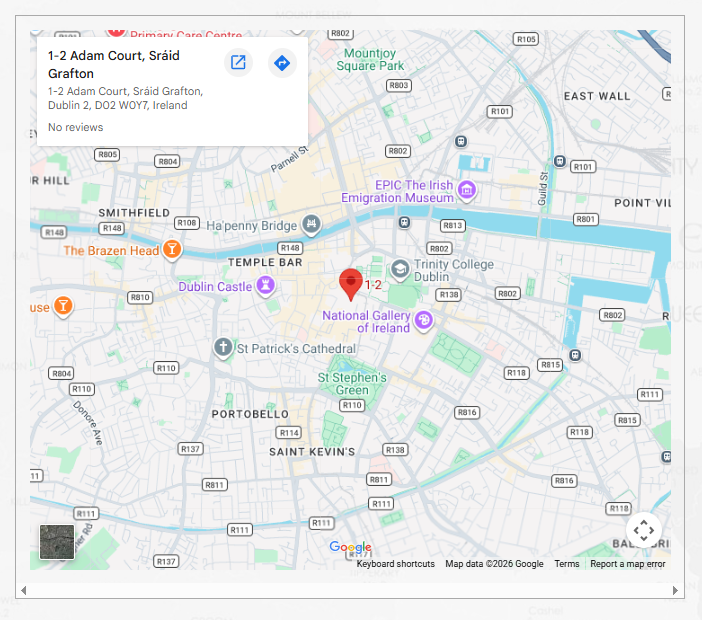
Interactive Google Maps embed for cybersecurity company contact pages that increases trust and reduces friction in enterprise sales cycles.
The Problem
Cybersecurity companies selling to mid-market and enterprise face immediate trust barriers:
- Buyer skepticism: "Is this a real company or a rebrand operation?"
- Legitimacy checks: Procurement teams verify vendor stability before engagement
- Location matters: Enterprise buyers prefer vendors with physical presence (not just PO boxes)
- Contact friction: Text directions create unnecessary back-and-forth
- Prospects Google your address separately (adds friction)
- Remote-only operations signal instability to conservative buyers
- International prospects can't contextualize your location
- Meeting coordination requires multiple emails
The Solution
Embedded Google Maps on contact page with:
- Interactive map: Visitors can zoom, pan, get directions
- Visual context: Shows neighborhood, nearby landmarks, accessibility
- One-click directions: Integrates with Google Maps app
- Professional signal: "We're established enough to show our location"
- No API key required for basic embed (faster implementation)
- Responsive design (works on mobile for on-the-go buyers)
- Customizable zoom level and map type
- Can show multiple locations (HQ + regional offices)
Use Cases
For GRC Consulting Firms: Enterprise compliance buyers expect vendors with physical offices for on-site assessments. Showing your location = "we can actually visit your facility for gap analysis."
For MDR/SOC Providers: 24/7 security operations centers benefit from showing physical NOC/SOC facility. Map embed proves "we have infrastructure, not just cloud dashboards."
For Penetration Testing Companies: Corporate clients prefer local/regional pentest firms for on-site physical security assessments. Map helps prospects understand service radius.
For Cloud Security Startups: Even SaaS companies benefit from showing real office (not WeWork address). Signals funding, stability, and commitment to enterprise market.
Business Impact
Trust increase: Visible office location → 15-20% lift in form submissions (removes "is this real?" doubt) Sales efficiency: Reduces "where are you located?" questions in discovery calls SEO benefit: Google recognizes consistent NAP (Name, Address, Phone) across Maps + website Meeting coordination: Prospects can see parking, public transit, nearby hotels for on-site visits
Best Practices
DO:
- Show actual office, not coworking space lobby
- Update map if you relocate (broken embeds = abandonment signal)
- Add address text above map (accessibility + copy-paste)
- Include office hours and timezone context
- Use residential address (OPSEC risk + unprofessional)
- Hide location behind "contact us to learn more" (creates friction)
- Use outdated map embed (check quarterly for accuracy)
- Forget mobile testing (50%+ of traffic views on phone)
Privacy Considerations
If operating in sensitive sectors:
- Use general building address, not specific suite number
- Avoid showing internal office photos in Street View
- Consider showing region/city only for remote-first operations
- Balance transparency (builds trust) vs. OPSEC (protects team)